Install notes · Install notes
Installing 3Win8, and what the lobby should look like when it opens
The old 3Win8 page listed Android, Windows and iPhone links and nothing else. What each install involves, what to refuse, and how the genuine lobby looks.
The old 3Win8 download page was three links in a column: Android Phone, Windows Computer, Iphone IOS. That's it. The host behind them no longer works, and even when it did, the page said nothing about what happens after you tap. This version does the opposite: no links, just what installing involves.
We don't host or link the 3Win8 files. The only source worth using is the provider who gives you your game ID.
Android
3Win8 for Android is an installer file downloaded through your browser. Android refuses these by default and tells you the browser isn't allowed to install unknown apps.
- Tap Settings on that message.
- Turn on Allow from this source for that browser only.
- Go back and tap Install.
- Afterwards, go to Settings > Apps > Special app access > Install unknown apps and turn it off again.
Play Protect may say the app is unrecognised or potentially harmful. That's normal for anything from outside the store, which is exactly why the file's source matters. When the app first opens, look at what it asks for. It needs the internet. It doesn't need your SMS, contacts, call log or accessibility access; if it asks, uninstall it.
If an update won't install because Android says it conflicts with the existing app, don't force it. A signature mismatch can mean the file has been tampered with. Ask your provider for a clean link.
iPhone
On iPhone, 3Win8 came as an enterprise-signed app. Apple built that system for companies' in-house apps, and these apps borrow it. After installing, the icon opens to Untrusted Enterprise Developer.
Open Settings > General > VPN & Device Management, tap the company name under Enterprise App (it won't say 3Win8), and tap Trust. When Apple revokes that company's certificate, the app stops launching for everyone at once. Your balance is safe on your ID; delete the app and get the new build. Remove old developer entries you don't recognise while you're there.
Windows
The middle link on the old page was a Windows installer. If a provider still has one, scan it with your antivirus before running it, and think twice if it wants administrator rights for no clear reason. Some players use an Android emulator on the PC instead; the same rule about where the file comes from applies.
What the real lobby looks like
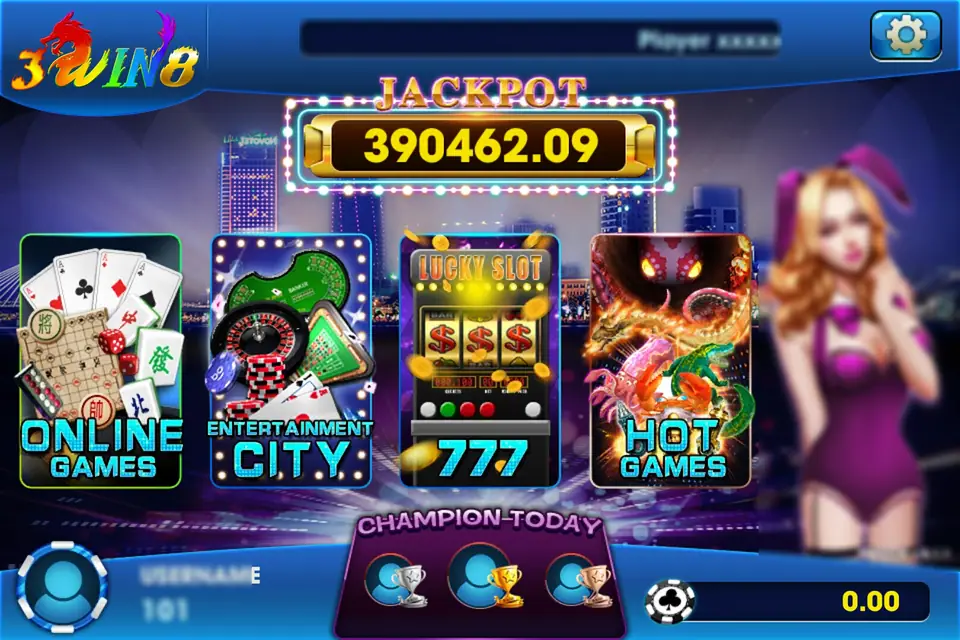
After login, the genuine app shows the rainbow 3WIN8 logo with a dragon over the 3, a big JACKPOT counter (390,462.09 in this capture), and four tiles: ONLINE GAMES (cards, mahjong, Chinese chess), ENTERTAINMENT CITY (roulette and baccarat), 777 (the slots, under a LUCKY SLOT machine) and HOT GAMES (fish shooting and the like). Your username sits bottom left and your balance bottom right, with the version number just above it.
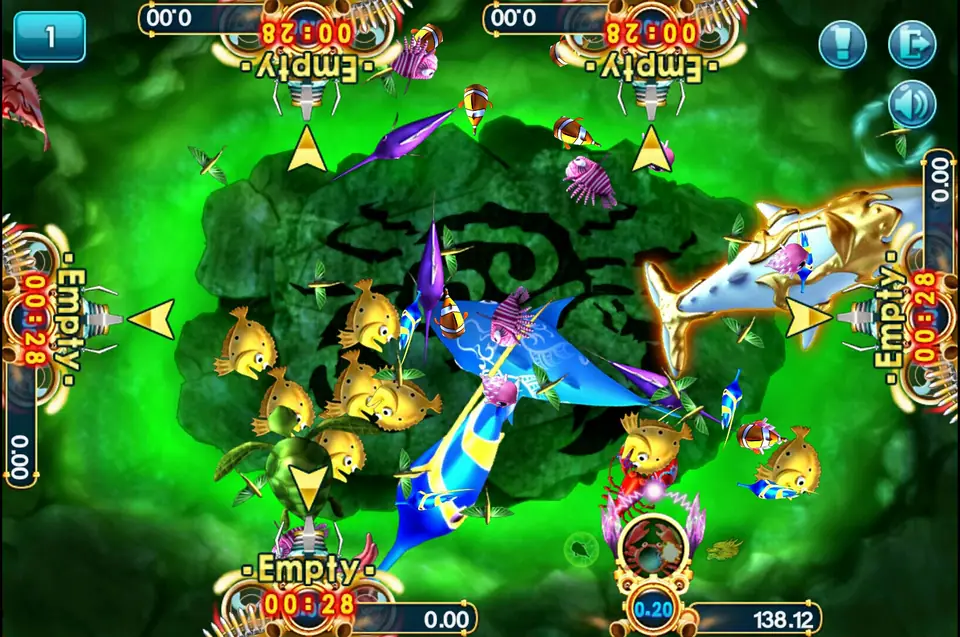
Inside the 777 section you'll find slots like Desert Treasure and Emperor Gate; the fish table in the picture at the top is from HOT GAMES.
- If a "3Win8" app asks for your online banking login, card number, TAC or OTP, it's not 3Win8. Delete it.
- Top-ups and cuci go through your provider, not through the app.
- Blur your username and the player ticker before posting screenshots.
The 3Win8 overview explains accounts and cuci, the 3Win8 games page lists every game we've covered, and other apps are under install notes. No account yet? Get a 3Win8 game ID first.
18+ only. Online gambling is restricted in Malaysia. Decide on your limit before your first top-up and read responsible gaming.
Questions people ask
Where do I download 3Win8?
Not from Google Play or the App Store; it isn't in either. Get the current link from the provider who issued your game ID. We don't host or link the files, and the download site the old page pointed to is gone.
My 3Win8 app says Untrusted Enterprise Developer. What now?
Go to Settings > General > VPN & Device Management, tap the developer listed under Enterprise App, and tap Trust. If the app later stops opening altogether, the certificate was probably revoked; ask your provider for the current build.
Does reinstalling 3Win8 reset my balance?
No. The balance is on your game ID, on the server. Log back in with the same ID after reinstalling.
Real-money games; online gambling is restricted in Malaysia. Never top up money you need, and stop when it stops being fun. Responsible gaming.