Install notes · Install notes
Putting Mega888 on a phone: unknown apps, a trust step and the update problem
Mega888 isn't in Google Play or the App Store. What installing it involves on Android and iPhone, why it breaks after an update or a revoked certificate, and the checks worth doing.
Three links, that's all the old Mega888 download page had: an iPhone build marked IOS 64 for the iPhone 5s up to the iPhone X, one marked IOS 32 for the iPhone 5 and older, and an Android file. All three are long dead. This page explains what installing Mega888 involves instead, because the steps haven't changed much even though the links have.
We don't host or link Mega888 files. Ask the provider who gives you your game ID for the current link, and don't take one from a random group or search result.
Android
Mega888 for Android is an installer file you download in the browser. Because it doesn't come from Google Play, Android blocks it the first time and tells you the browser isn't allowed to install unknown apps.
- Tap Settings on the warning.
- Switch on Allow from this source, only for the browser you used.
- Go back and tap Install.
- Afterwards, turn it off again under Settings > Apps > Special app access > Install unknown apps.
Play Protect will probably call the app unrecognised. For something from outside the store that's normal, but it's a good moment to think about where the file came from.
Updates are where people get caught. Apps like this get replaced with new versions, and an old build can stop logging in until you update. Install the new file over the old one. If Android says the package conflicts with the installed app, don't force it: a signature mismatch is exactly what a modified file looks like. Uninstall, then get a clean link from your provider.
iPhone and iPad
On iPhone, Mega888 is distributed through an enterprise certificate, the kind companies use to put in-house apps on staff phones. You install from a link, and on first launch iOS says Untrusted Enterprise Developer.
- Dismiss the message.
- Go to Settings > General > VPN & Device Management (Profiles or Device Management on older iOS).
- Tap the developer name under Enterprise App. It won't say Mega888; it's whatever company the certificate belongs to.
- Tap Trust and confirm.
Apple revokes these certificates when it finds them used for public apps. When that happens Mega888 stops opening on every iPhone with that build, all at once. Nothing is wrong with your account. Delete the app, get the new build, and remove the old developer entry from Device Management.
The IOS 32 and IOS 64 split on the old page is history. Only the iPhone 5 and older had 32-bit chips, and iOS 11 dropped 32-bit apps entirely, so there's only one kind of iPhone build now.
Checking you got the real thing
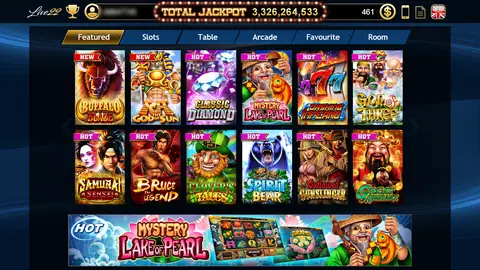
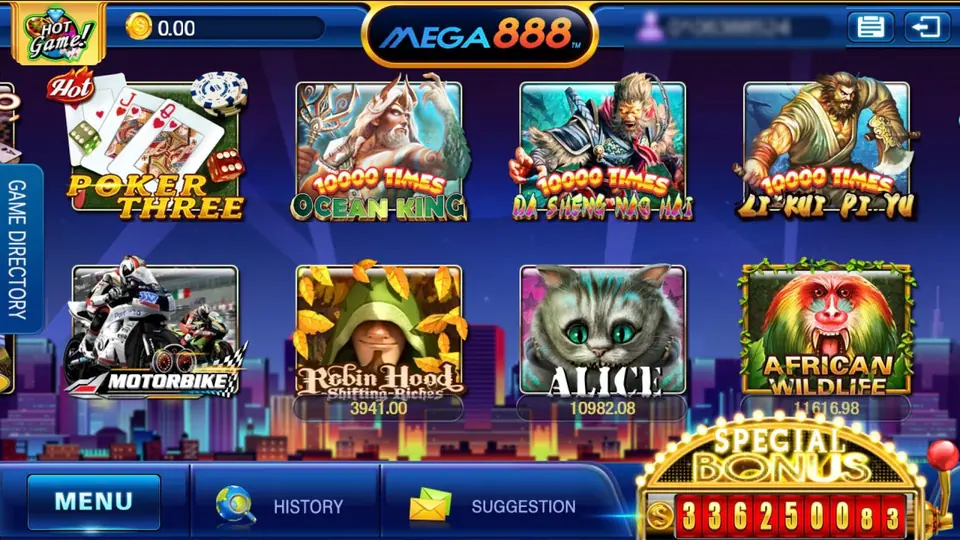
A genuine Mega888 install shows a loading screen with the Mega888 logo and a blue progress bar, then the login. After you log in, the lobby looks like the picture at the top: balance top left with a coin icon, the logo in the middle, your username top right, a GAME DIRECTORY tab on the left and MENU, HISTORY and SUGGESTION at the bottom. Games like Ocean King and Poker Three are on the first screen.
A few habits worth keeping:
- The app should never ask for your bank login, card number, TAC or OTP. Top-ups go through the provider.
- Say no to SMS, contacts and accessibility permissions. A casino app has no use for them.
- Your username is often your phone number. Crop it out of any screenshot you share.
- Change the password your provider gave you if the app allows it.
How accounts, top-ups and cuci work is in the Mega888 overview, and the full list is on the Mega888 games page. The other apps are under install notes. If you don't have an account, get a Mega888 game ID first; the app does nothing without one.
18+ only. Online gambling is restricted in Malaysia. Decide your limit before you install, and read responsible gaming.
Questions people ask
Why did Mega888 stop opening on my iPhone?
Most likely Apple revoked the enterprise certificate the app was signed with. It happens to every phone with that build at once. Your balance is on your game ID, not the phone, so delete the app and ask your provider for the current build.
Do I need a new game ID if I reinstall Mega888?
No. The ID and balance live on the Mega888 server. Reinstalling only replaces the app on your phone; log in again with the same ID and password.
Where can I download Mega888?
It isn't in Google Play or the App Store, and we don't host or link the files. Get the current link from the provider who issued your game ID.
Real-money games; online gambling is restricted in Malaysia. Never top up money you need, and stop when it stops being fun. Responsible gaming.