Install notes · Install notes
Installing NTC33: two Android apps, a PC client and no store listing
The old NTC33 page offered two different Android apps and a Windows client, and no iPhone build at all. What each involves and how to check you have the real thing.
The old NTC33 download page had no instructions at all, just four buttons: Android (Slot Only), Android (Live Games), Windows Computer and Play In Online. No iPhone button. That tells you most of what you need about how Newtown was distributed, and it's where most of the confusion comes from.
Nothing here links to a file. Get the current build from the provider who gave you your game ID, not from a search result.
Android: which app, and the unknown-apps prompt
NTC33 on Android came as two separate apps. The slot app covers the Playtech slots, arcade games, scratch cards and the RNG tables. The live app was only for live-dealer games. Most players only ever install the slot one.
Neither is on Google Play, so Android will stop you the first time. You'll see a message that your browser (or file manager) isn't allowed to install unknown apps. Tap Settings, switch on Allow from this source for that one app, go back and install. Afterwards, switch it off again under Settings > Apps > Special app access > Install unknown apps. Leaving it on means anything that browser downloads later can install itself with one tap.
Play Protect may warn that the app is unrecognised. That's expected for anything outside the store, but it's also the moment to be careful. Before you open the app:
- Check the permissions it asks for. A casino lobby needs network access and storage. It has no reason to read your SMS, contacts or call log, or to ask to be an accessibility service. If it does, uninstall it.
- If you're updating, install the new file over the old one. If Android says the signature doesn't match the installed app, stop. That's what a modified file looks like.
iPhone: the trust step
The old page offered no iPhone build. Later, providers did hand out iPhone versions of these apps, always through an enterprise certificate rather than the App Store. If you're given one, it installs from a link, then shows Untrusted Enterprise Developer when you first open it.
To allow it, go to Settings > General > VPN & Device Management, tap the company name under Enterprise App, and tap Trust. That company name won't say Newtown or NTC33; it'll be whatever business the certificate was issued to. Apple revokes these certificates when it spots them, and then the app stops opening overnight. Your balance is safe on your ID. Delete the dead icon and ask your provider for the new build.
Delete any old enterprise profiles you no longer use. Every one you trust is a company that can put apps on your phone.
The Windows client
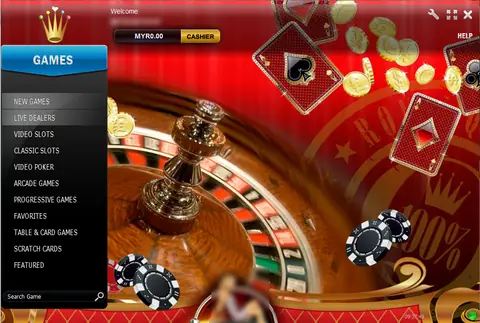
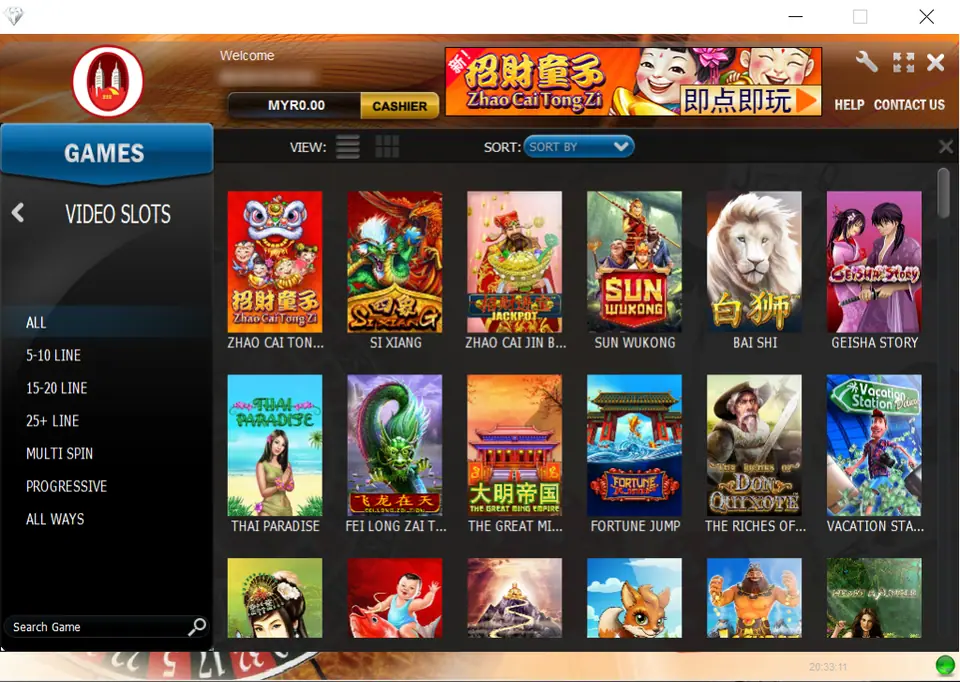
NTC33 also had a proper Windows program, which the old page linked as a plain installer. Once logged in it looked like the screenshot at the top of this page: a window with the Newtown logo, a "Welcome" line with your login code, a MYR balance and CASHIER button, and the GAMES panel on the left. In Video Slots it adds filters the phone lobby doesn't show as clearly: 5-10 Line, 15-20 Line, 25+ Line, Multi Spin, Progressive and All Ways.
If a provider still offers a PC version, scan the installer before you run it, and be suspicious of anything that asks for administrator rights for no clear reason. Some players run the Android app in an emulator instead. It works, but the same rules about where the file comes from apply.
Checking you got the real thing
After login, the real lobby has the red Newtown logo with two towers top-left, your login code, a MYR balance and a gold CASHIER button, then a GAMES menu with Video Slots, Classic Slots, Live Dealers, Macau, Arcade Games, Table & Card Games and Scratch Cards. A lookalike that asks for your bank login, a TAC or an OTP isn't NTC33. Delete it.
What's inside the lobby is covered in the NTC33 overview and the NTC33 games list. Good places to start are Egypt Spin and the Fish Prawn Crab dice table. The other apps' install pages are under install notes. If you don't have an account yet, get an NTC33 game ID from a provider first; the app is useless without one.
Never share a bank TAC or OTP with anyone, including someone "helping" you install. 18+ only; online gambling is restricted in Malaysia, so set a limit before your first top-up and read responsible gaming.
Questions people ask
Why were there two NTC33 Android apps?
The old page split them into 'Slot Only' and 'Live Games'. The slot app held the Playtech slots, arcade and table games; the live app was for the live-dealer tables. If you only play slots, you only need the first one.
Will I lose my NTC33 balance if I uninstall the app?
No. Your credit sits on your game ID on the NTC33 server, not on the phone. Reinstalling and logging in with the same ID brings it back.
Is there an NTC33 app for iPhone?
The old page didn't list one. If a provider offers you an iPhone build, it will be enterprise-signed and need a trust step in Settings. Only accept one from the provider who issued your ID.
Real-money games; online gambling is restricted in Malaysia. Never top up money you need, and stop when it stops being fun. Responsible gaming.